

Blog
Server Rack Sizes Explained: What 1U, 2U and 42U Mean
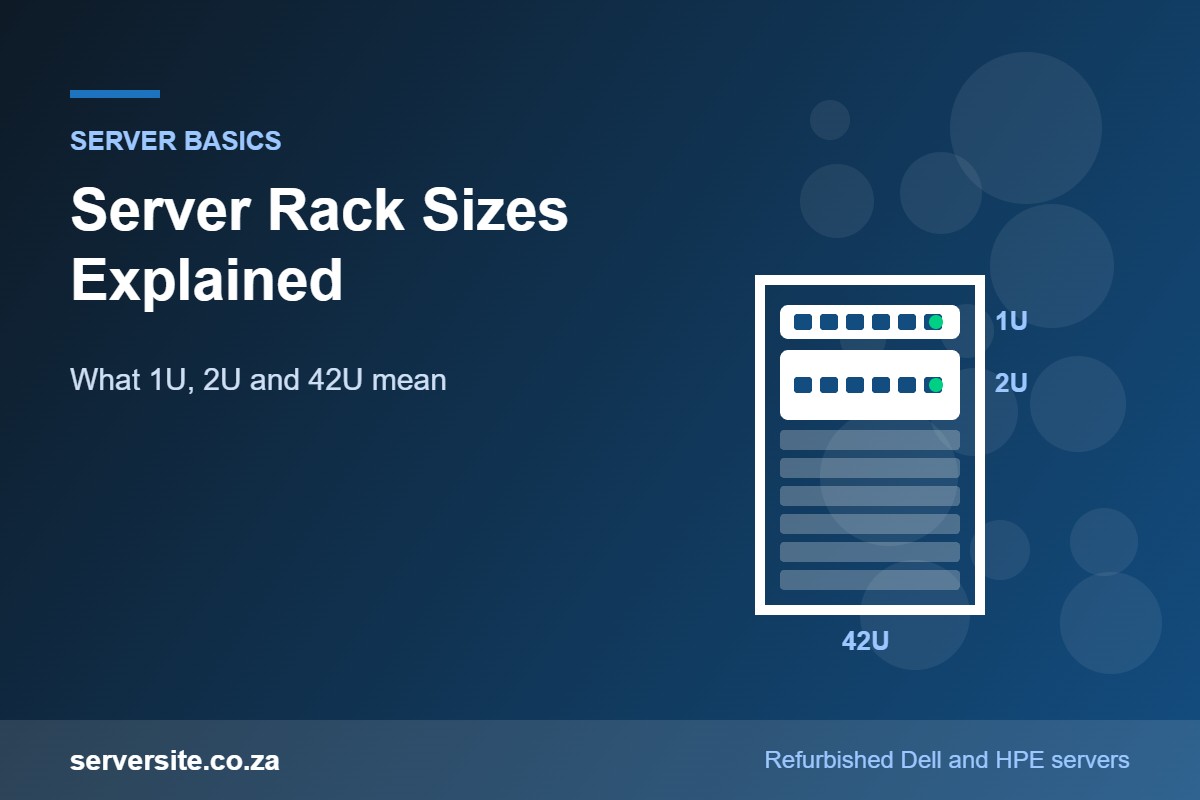
Server racks are sold by height in "U", by width in millimetres and by depth in millimetres, and the numbers are easy to misread. A 42U cabinet sounds like a standard item, but two 42U cabinets can differ by hundreds of millimetres in depth, and that difference decides whether your servers fit at all.
This guide explains what 1U, 2U and 42U actually measure, which widths and depths make sense for real servers, how rails and hole types affect mounting, and how to plan a rack that stays cool and serviceable.
📋 Key takeaways
- 1U = 44.45 mm: every rack unit is 1.75 inches of vertical space, so a 42U rack has 1,866.9 mm of mounting height.
- 19-inch is the width standard: server front panels are 19 inches (482.6 mm) wide including the mounting ears.
- Depth is the common mistake: a 2U server such as the Dell PowerEdge R740 is around 680 to 716 mm deep before cables, so shallow cabinets often will not work.
- Rails matter: sliding rails let you service a server in place; static rails do not.
- Plan for more than servers: leave room for switches, patch panels, PDUs, blanking panels and growth.
What does 1U, 2U and 42U mean?
The "U" stands for rack unit. According to the rack unit definition based on EIA-310, one rack unit is 1.75 inches, or 44.45 mm, of vertical space on the rack posts.
A 1U server occupies one unit, a 2U server two, and so on. Equipment front panels are made fractionally shorter than the full unit height (about 0.8 mm less), so stacked devices do not bind against each other.
The rack’s own size uses the same unit. A 42U rack has 42 units of usable mounting space between the top and bottom positions. The outside height of the cabinet is larger, because it includes the frame, roof and base. For example, Schneider Electric lists its APC NetShelter SX 42U enclosure at 1,991 mm tall, 600 mm wide and 1,070 mm deep.
Common rack heights at a glance
| Rack height | Mounting space | Typical fit |
|---|---|---|
| 12U | 533.4 mm | Small office or comms room: a switch, patch panel, a router and one or two short servers |
| 24U | 1,066.8 mm | Small business server room: two to four 2U servers plus networking and a shelf |
| 42U | 1,866.9 mm | The usual full-height cabinet for server rooms and data centres |
| 45U to 48U | 2,000.25 to 2,133.6 mm | Taller cabinets where ceiling height and floor space allow more density |
Mounting space is simply the U count multiplied by 44.45 mm. Always check the external height of a cabinet against door frames and ceilings before ordering, as a full-height cabinet will not fit through every doorway upright.
What is the 19-inch rack standard (EIA-310)?
Almost all servers, switches and storage shelves are built for the 19-inch rack. The 19-inch rack standard (EIA-310, also aligned with IEC 60297) sets the front panel width at 19 inches, or 482.6 mm, including the mounting ears. The opening between the posts is 17.75 inches (450.85 mm), which is the maximum width of the chassis body that slides between them.
"19-inch" describes the equipment and post spacing, not the cabinet, which is wider to make room for side panels and cabling.
Our article on the difference between rack and tower servers covers whether you need a rack at all. If you only have one server and no networking gear, a tower may be simpler.
How deep should a server rack be?
Depth is where most rack purchases go wrong. Network cabinets and wall-mount racks are often only 600 mm deep, which suits switches and patch panels but not full-depth servers.
Dell’s published dimensions for the 2U PowerEdge R740 list depth figures of 678.8 mm and 715.5 mm, depending on the reference point, before the front bezel is added. You then need space behind the server for power cords, network cables and airflow. In practice, a mainstream 1U or 2U rack server belongs in a cabinet of around 1,000 mm deep or more.
| Cabinet depth | Best suited to | Server fit |
|---|---|---|
| 600 mm | Switches, patch panels, routers, small appliances | Too shallow for most full-depth rack servers |
| 800 mm | Networking, short-depth servers, storage shelves on short rails | Tight; check the server and rail depth carefully |
| 1,000 to 1,070 mm | General server rooms | Fits most 1U and 2U servers with room for cabling |
| 1,200 mm | Deeper servers, heavy cabling, rear PDUs | Most room for cable management arms and power strips |
⚠️ Watch out: Measure the usable mounting depth between the front and rear posts, not just the outside depth of the cabinet. Sliding rail kits have a minimum and maximum post spacing, and a rail that cannot reach the rear posts cannot be installed safely.
600 mm or 800 mm wide: which do you need?
Both widths take the same 19-inch equipment. The extra width in an 800 mm cabinet (Schneider also sells 750 mm models) goes into the space beside the posts.
- 600 mm wide: the space-saving choice for server rooms. It works well when the rack holds mostly servers with modest cabling.
- 750 to 800 mm wide: better for network-heavy racks with many patch cables, vertical cable managers and zero-U PDUs mounted at the sides.
For a few servers and a single top-of-rack switch, 600 mm is usually enough. Our networking range includes switches and related gear that mount in either width.
Open frame, enclosed cabinet or wall-mount?
Open-frame racks
Open-frame racks come as 2-post or 4-post frames with no doors or sides. Two-post racks are mainly used for telecom and networking gear; full-depth servers need four posts so the rails support the chassis at the front and the rear. Open frames are easy to cable but offer no security or dust protection.
Enclosed cabinets
An enclosed cabinet adds lockable perforated doors and side panels. It is the right choice for most South African offices, where the rack often sits in a shared room.
Wall-mount racks
Wall-mount cabinets save floor space and are ideal for patch panels, switches and small firewalls. They are normally too shallow and not rated to carry the weight of rack servers, so treat them as networking enclosures only.
Planning a rack build?
Browse tested refurbished rack servers, and we can fit the correct rails for your rack when we configure the order.
Sliding vs static rails, square vs round holes
Rails connect the server to the rack posts. Dell’s support guide on static versus sliding rack rails sums up the difference: static rails hold the server in place with no option to move it, while sliding rails let you pull it forward to work on the hardware, even with another server mounted directly above. With static rails, the server has to come out of the rack for any hardware work.
The posts also come with different hole types:
- Square holes: the most common in server cabinets. They take cage nuts, or tool-less rails that hook straight into the holes.
- Round unthreaded holes: bolts pass through and are secured with nuts or clips.
- Round threaded (tapped) holes: screws go straight into the post. Common on network and 2-post racks.
Rail kits differ in which hole types and post spacings they support, so check the rail kit for your exact server model against your rack before you order.
💡 Pro tip: Order the rails with the server. A server is heavy and awkward to fit on the wrong rail kit, and using a shelf instead of proper rails blocks the slide-out access you need for drive, memory and fan replacements.
How to plan airflow, weight, power and cabling
Airflow
Rack servers pull cool air in at the front and push hot air out of the back. Keep the front of the rack facing the cool air supply, fill unused U spaces with blanking panels so hot exhaust air cannot loop back to the front, and keep cable bundles from blocking the rear. Our guide to keeping a refurbished server cool covers room cooling in more detail.
Weight
Servers are heavy. Dell lists a fully populated PowerEdge R740 at up to 28.6 kg with 3.5-inch drives. Mount the heaviest equipment at the bottom, fill the rack from the bottom up, and confirm the cabinet’s rated load and the floor’s capacity before adding several servers and a UPS. Use a second person, or a lift, for anything 2U and above.
Power distribution
Rack PDUs come as horizontal 1U strips or vertical zero-U strips that mount in the rear side channels, which keeps U space free for equipment. Servers with dual power supplies should be fed from two separate PDUs, ideally on separate circuits, so a single tripped breaker does not take the server down.
Cable management
Label both ends of every cable and run power and data down opposite sides where possible. Cable management arms on sliding rails let a server slide forward without unplugging, but they need extra depth behind the server.
A simple rack planning checklist
- List every device you will mount now, with its U height, depth and weight.
- Add switches, patch panels, a keyboard shelf or KVM, and any rack UPS.
- Add at least 25 to 50 percent spare U for growth and blanking panels.
- Choose depth from your deepest server plus cabling room, then confirm rail compatibility.
- Choose width from how much cabling and vertical PDU space you need.
- Check door, ceiling and floor limits at the installation site.
Frequently asked questions
How many servers fit in a 42U rack?
In theory, a 42U rack holds 42 1U servers or 21 2U servers. In practice, you need space for switches, patch panels, PDUs, blanking panels and growth, and power and cooling often run out before U space does. Most small and medium setups plan for far fewer servers and leave spare units for expansion.
What size is a 1U server in mm?
A 1U server is designed for 44.45 mm (1.75 inches) of vertical rack space, and its front panel is about 482.6 mm (19 inches) wide including the mounting ears. Depth varies by model, and full-depth 1U servers are often similar in depth to 2U servers, so always check the spec sheet before choosing a cabinet.
Can I put a server in a network cabinet?
Only if the cabinet is deep enough and rated for the weight. Many network cabinets are 600 mm deep, which is too shallow for most full-depth rack servers and their rails. Short-depth servers and networking gear fit well, but a mainstream 1U or 2U server usually needs a cabinet of around 1,000 mm deep.
Do servers come with rack rails?
Not always. Rails are often a separate kit, and the correct kit depends on the server model and whether you want sliding or static rails. When buying a refurbished rack server, confirm that rails are included or add them to the order so the server can be mounted safely and serviced in place.
Is a 4-post rack better than a 2-post rack for servers?
Yes, for servers. A 4-post rack supports the chassis at the front and rear, which is what server rail kits are designed for. Two-post racks suit lighter networking equipment such as switches and patch panels, and mounting a heavy full-depth server on two posts puts strain on the front brackets.
Once you know your rack’s depth, width and free U space, choosing hardware becomes much easier. Browse our refurbished Dell PowerEdge servers, or send us your rack details through the custom configuration page and we will build a tested server, with the right rails, to fit.