

Blog
RDIMM vs LRDIMM vs UDIMM: Server Memory Explained
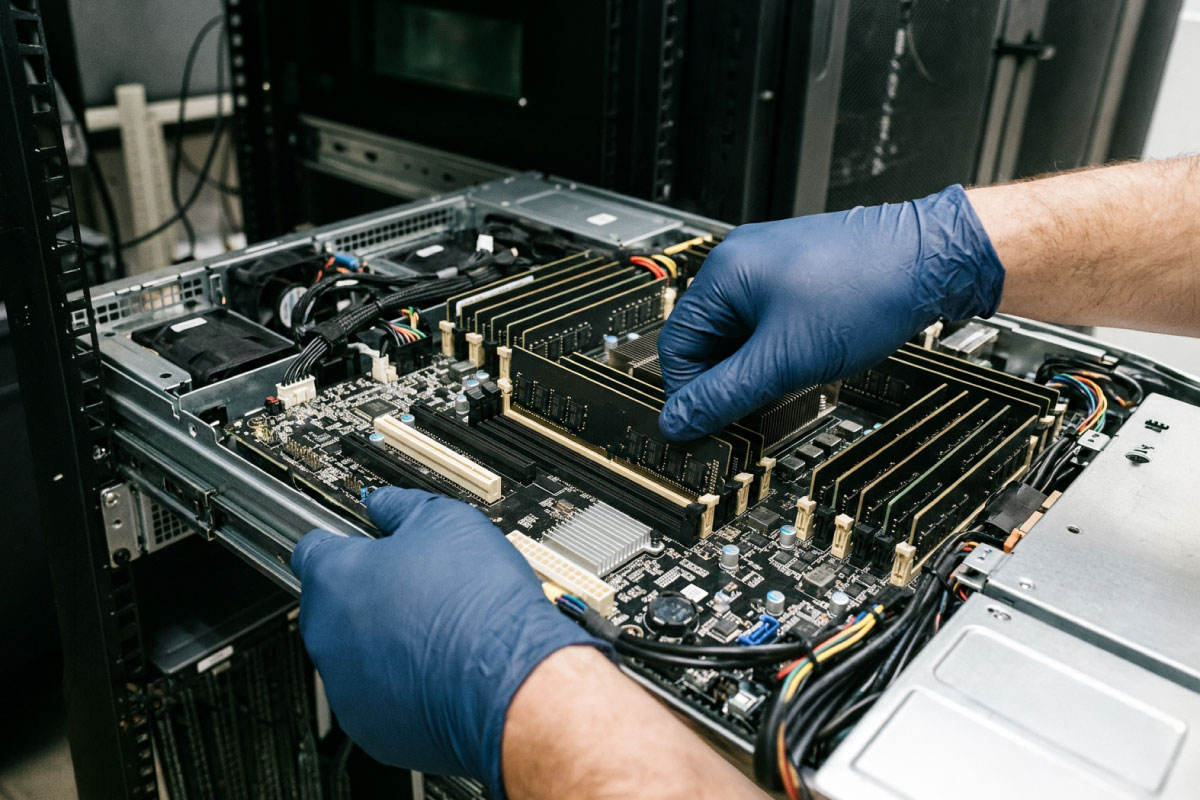
Server memory listings are full of abbreviations: RDIMM, LRDIMM, 2Rx4, PC4-2666V-R. Buy the wrong type and the server may refuse to boot, run with reduced memory or drop to a slower speed than you paid for.
This guide explains the three main module types, how to read the label on a DDR3 or DDR4 module, and how to populate memory so a refurbished server runs at full speed.
📋 Key takeaways
- RDIMM: The standard choice for most rack servers, with a register that eases the load on the memory controller.
- LRDIMM: Buffers data as well, which allows higher capacities. Use it when you need a lot of memory.
- Never mix: Dell and HPE both state that RDIMMs and LRDIMMs cannot be mixed in the same server.
- Read the label: PC4-2666V-R means DDR4, 2666 MT/s, CAS 19 and registered. The letter at the end gives the type.
- Balance channels: Populate every channel identically and match both processors for the best performance.
What is the difference between UDIMM, RDIMM and LRDIMM?
The difference is how much buffering sits between the memory controller and the DRAM chips on the module. Buffering reduces the electrical load each module places on the memory channel, which lets a server run more modules and more ranks per channel.
- UDIMM (unbuffered): the memory controller talks to the DRAM chips directly. In servers you will find them in entry-level single-socket models, such as the HPE DL20 Gen11, which specifies ECC UDIMMs.
- RDIMM (registered): a register buffers the clock, command and address signals. According to the registered memory reference on Wikipedia, this costs one additional clock cycle of latency, which is the trade-off for supporting more modules.
- LRDIMM (load-reduced): adds buffers to the data lines as well, so the memory controller sees a lighter load even with high-capacity, multi-rank modules.
| Type | What is buffered | Typical servers | Capacity | Label letter |
|---|---|---|---|---|
| ECC UDIMM | Nothing | Entry single-socket servers (e.g. HPE DL20) | Lowest | E |
| RDIMM | Clock, command and address | Most two-socket rack and tower servers | Medium to high | R |
| LRDIMM | Command, address and data | Two-socket servers needing maximum memory | Highest | L |
The capacity difference is real. HPE’s QuickSpecs give the ProLiant DL360 Gen9 a maximum of 768 GB with RDIMMs but 1.5 TB with LRDIMMs, and the ML350 Gen10 1.5 TB with RDIMMs but 3 TB with LRDIMMs.
What is ECC memory and do servers need it?
ECC (error-correcting code) memory stores extra check bits alongside the data so the memory controller can detect and correct certain memory errors before they corrupt data or crash the system. For a server that runs for months without a reboot, that protection matters.
ECC and buffering are separate features. Most registered modules also have ECC, but an unbuffered module can have ECC too, which is what ECC UDIMMs are. When you see “ECC” on a server memory listing, check the type as well: an ECC UDIMM will not work in a server that needs RDIMMs.
Why can’t you mix RDIMM and LRDIMM?
The two types present the memory controller with different electrical interfaces and are configured differently at boot. The vendors are clear about it. The Dell PowerEdge R740 memory guidelines state that RDIMMs and LRDIMMs must not be mixed, HPE’s DL380 Gen10 QuickSpecs say mixing RDIMM and LRDIMM is not supported, and HPE’s Gen8 documentation states that LRDIMMs, RDIMMs and UDIMMs cannot be mixed in one server.
⚠️ Watch out: If a server fails to boot or reports a memory configuration error after an upgrade, check the type letters on every module first. A single LRDIMM among RDIMMs is enough to cause problems, and it is easy to miss when modules look identical.
How do you read a server memory label?
Every module carries a label that describes its capacity, ranks, generation, speed and type. Once you can read it, you can match a replacement module without guessing.
Ranks and data width: what 2Rx4 means
A rank is a set of DRAM chips the controller accesses together. The label shows it as 1R (single rank), 2R (dual rank), 4R (quad rank) or 8R (octal rank). The figure after the “x” is the data width of each DRAM chip: x4 means 4-bit chips and x8 means 8-bit chips. So 2Rx4 is a dual-rank module built from 4-bit chips.
DDR4 labels: PC4-2400T-R and PC4-2666V-R
On DDR4, PC4 means DDR4, the number is the speed in MT/s and the letter after it is the CAS latency bin. The final letter is the module type. HPE’s DIMM label identification guide and its Gen10 user guides decode them as follows.
| Label code | Meaning |
|---|---|
| PC4-2133P | DDR4, 2133 MT/s, CAS 15-15-15 |
| PC4-2400T | DDR4, 2400 MT/s, CAS 17-17-17 |
| PC4-2666V | DDR4, 2666 MT/s, CAS 19-19-19 (RDIMM and LRDIMM) |
| PC4-2933Y | DDR4, 2933 MT/s, CAS 21-21-21 (RDIMM and LRDIMM) |
| PC4-3200AA | DDR4, 3200 MT/s, CAS 22-22-22 |
| -R / -L / -E | RDIMM / LRDIMM / unbuffered ECC (UDIMM) |
A label such as 32GB 2Rx4 PC4-2666V-R therefore describes a 32 GB dual-rank RDIMM rated at 2666 MT/s.
DDR3 labels: PC3-10600R and PC3L-12800R
DDR3 labels use bandwidth instead of transfer rate. HPE’s Gen8 documentation decodes PC3-8500 as 1066 MT/s, PC3-10600 as 1333 MT/s and PC3-12800 as 1600 MT/s. An L after PC3 means low voltage (1.35V), and U means ultra-low voltage (1.25V). The type letters work the same way: R for RDIMM, E for ECC UDIMM and L for LRDIMM. Our DDR3 server memory range is listed by these codes.
Shop refurbished server memory
Find tested DDR4 RDIMMs and LRDIMMs for Dell PowerEdge and HPE ProLiant servers, listed by capacity, rank and speed.
How should you populate memory channels?
Each processor has several memory channels, and each channel has one or more slots. A Gen9 DL360 has four channels per processor with three slots each; a Dell R740 or HPE DL380 Gen10 has six channels per processor with two slots each. Performance is best when every channel is populated the same way.
Dell’s R740 guidelines give a clear set of rules that apply to most modern servers:
- Populate the slots with white release tabs (the first slot in each channel) before the black ones.
- Install six identical modules per processor, one per channel, at a time to maximise performance.
- In a dual-processor server, make the memory configuration for each processor identical.
- When mixing capacities, put the largest modules in the first slots, and do not mix more than two capacities in one system.
Dell warns that unbalanced configurations result in a performance loss. HPE publishes equivalent population rules in its server user guides, so check the guide for your model before adding modules. Our post on upgrading a refurbished server covers the wider upgrade process.
💡 Pro tip: When you size a memory upgrade, think in multiples of the channel count. For a two-socket server with six channels per processor, 12 or 24 identical modules give a balanced layout, while 10 or 14 leave some channels uneven.
Why does memory speed drop with more DIMMs per channel?
Every module added to a channel increases the electrical load, so the memory controller may need to lower the speed to stay stable. HPE’s DL380p Gen8 documentation shows this clearly: single and dual-rank modules can run at up to 1600 MT/s with one DIMM per channel, 1333 MT/s with two, and 1066 MT/s with three.
Newer servers follow the same principle. Dell’s R740 guidelines state that 2933 MT/s is only supported with one DIMM per channel, and the final speed also depends on the processor’s maximum memory speed, the rated speed of the modules and the BIOS system profile. Fitting faster modules than the processor supports will not make them run faster.
How do you check what memory is installed?
You do not always need to open the case. Three methods work on most refurbished servers:
- iDRAC (Dell): the iDRAC web interface includes a memory information view for the installed modules, so you can confirm what is fitted without opening the chassis.
- iLO (HPE): in iLO 5, go to System Information and open the Memory tab. The Physical Memory table lists each module’s size, maximum supported frequency, technology (RDIMM, LRDIMM or UDIMM) and ranks.
- Linux: run dmidecode -t memory as root to list every slot with the installed module’s size, speed, type and part number.
If you are planning an upgrade, export this list before you buy so you can match the existing modules exactly.
Frequently asked questions
Can I use desktop RAM in a server?
Usually not. Most two-socket servers only accept registered or load-reduced modules, and registered and unbuffered memory cannot be mixed. Some entry servers, such as the HPE DL20 Gen11, take unbuffered memory, but it must be ECC UDIMM, which ordinary desktop memory is not. Always match the module type listed in the server’s specifications.
Is LRDIMM slower than RDIMM?
Not in rated speed on most platforms. HPE’s DL380 Gen10 QuickSpecs list both the largest RDIMM and the largest LRDIMM at 2933 MT/s. The extra data buffering on an LRDIMM exists to allow more capacity per channel, so choose LRDIMMs when you need high capacity and RDIMMs for typical configurations.
Can I mix different memory speeds in a server?
Yes, in most cases, but everything will run at the slowest module’s speed. Dell’s PowerEdge R740 manual states that modules with different speeds operate at the speed of the slowest installed module. Mixing also makes it harder to keep channels identical, so it is better to buy matching modules when you upgrade.
Do I need HPE or Dell branded memory?
Vendor-qualified memory is the safest choice. HPE’s Gen8 documentation states that memory must be HP SmartMemory and that previous-generation memory is not qualified, and iLO shows whether each installed module is HPE SmartMemory. Dell and HPE both publish the part numbers they support for each model, so match those when buying replacement or upgrade memory.
Getting memory right comes down to three checks: the correct type, the correct speed for your processors and a balanced layout across channels. If you would rather not work it out yourself, request a configured server with the memory you need already fitted, or browse our refurbished servers to find a platform with room to grow.